Friday, March 13, 2015

Midterm 8


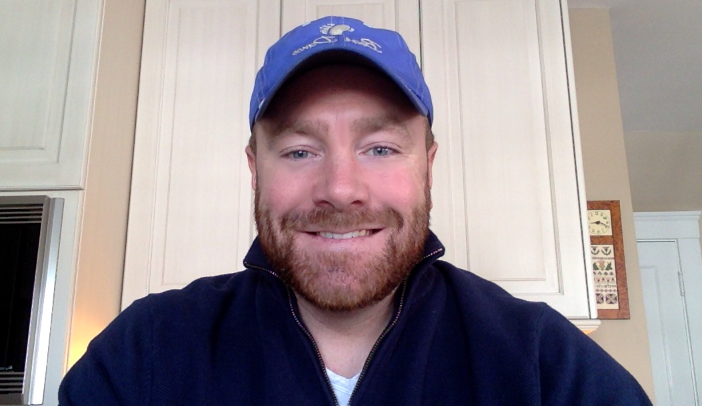
This image is a "selfie" that I edited using the "smudge tool in GIMP.  It is a midterm exercise from the Immersive Education course that I am taking at Boston College.  The course is called Discovering Computer Graphics.  For details, visit the immersive BC portal at http://ImmersiveEducation.org/@/bc

This is the original "selfie."  
 This picture is a screenshot of the "selfie" plugged into GIMP.
 And here is the final product.  I have/had a scratch on my nose, crows' feet outside my eyes, a few random freckles on my cheeks, and smile lines.  All gone.  I will definitely be using GIMP for my next submission to GQ.

Midterm 7 Final Edit

This is a photo rendering with several different layers in the application called GIMP.  It is a midterm exercise from the Immersive Education course that I am taking at Boston College.  The course is called Discovering Computer Graphics.  For details, visit the immersive BC portal at http://ImmersiveEducation.org/@/bc

For this exercise, I took a photo of my future wife, the beautiful Jennifer Aniston, and added a logo to cover up her beautiful blue eyes (what a sin).  Then, I added a black dialog box at the bottom of the screen with 3 separate text boxes inside it, each saying something different, each with a smaller font than the one above it, making sure that none of them ended up longer than the one above it.  Here are my process pictures:


 And finally, here is my final product:


Thursday, March 12, 2015

Midterm 6 Final Edit


This is my name, animated to rotate in a circle. It is a midterm exercise from the Immersive Education course that I am taking at Boston College. The course is called Discovering Computer Graphics. For details, visit the immersive BC portal at http://ImmersiveEducation.org/@/bc

To do this, I created several different layers of my name written in a circle, using GIMP.  However, each layer was a little different.  I rotated the original image in increments, therefore making a rotating final product. 

Midterm 5 Final Edit

These images are two different formats of an image given to us by Professor Walsh. It is a midterm (or final, if it's a final) exercise from the Immersive Education course that I am taking at Boston College. The course is called Discovering Computer Graphics. For details, visit the immersive BC portal at http://ImmersiveEducation.org/@/bc

This first image is the original photo titled "monster"
 This 2nd image is the jpeg (.jgp) version of this image
 This 3rd image is the ping (.png) version of the image

Midterm 3 Final edit

This is me saving the same image in 3 different formats, also using GIMP. It is a midterm exercise from the Immersive Education course that I am taking at Boston College. The course is called Discovering Computer Graphics. For details, visit the immersive BC portal at http://ImmersiveEducation.org/@/bc

Here is the original photo in .tif form
.tif
.png
 .JPEG

Midterm #2 final edit

This is me adding a text caption on an image by using GIMP. It is a midterm exercise from the Immersive Education course that I am taking at Boston College. The course is called Discovering Computer Graphics. For details, visit the immersive BC portal at http://ImmersiveEducation.org/@/bc

For this exercise, I used the "select region tool," I filled the region with the background color (white), then used the text tool (changing the color of the font to red), and here is the final product!


Midterm #1 edit (removing red eye)

This is me removing redeye from a picturing by using GIMP. It is a midterm exercise from the Immersive Education course that I am taking at Boston College. The course is called Discovering Computer Graphics. For details, visit the immersive BC portal at http://ImmersiveEducation.org/@/bc


I used the eye dropper tool as well as the paintbrush tool once zoomed in, and the bottom photo is my final product